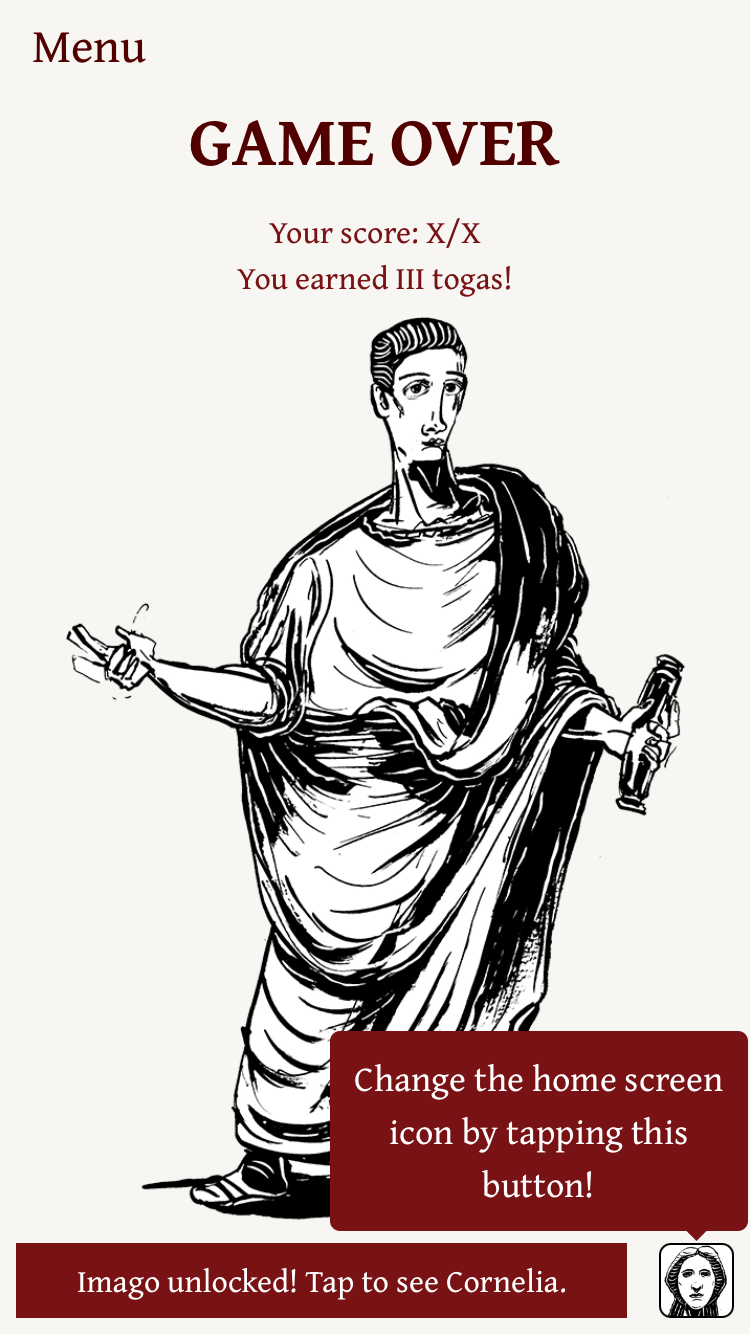
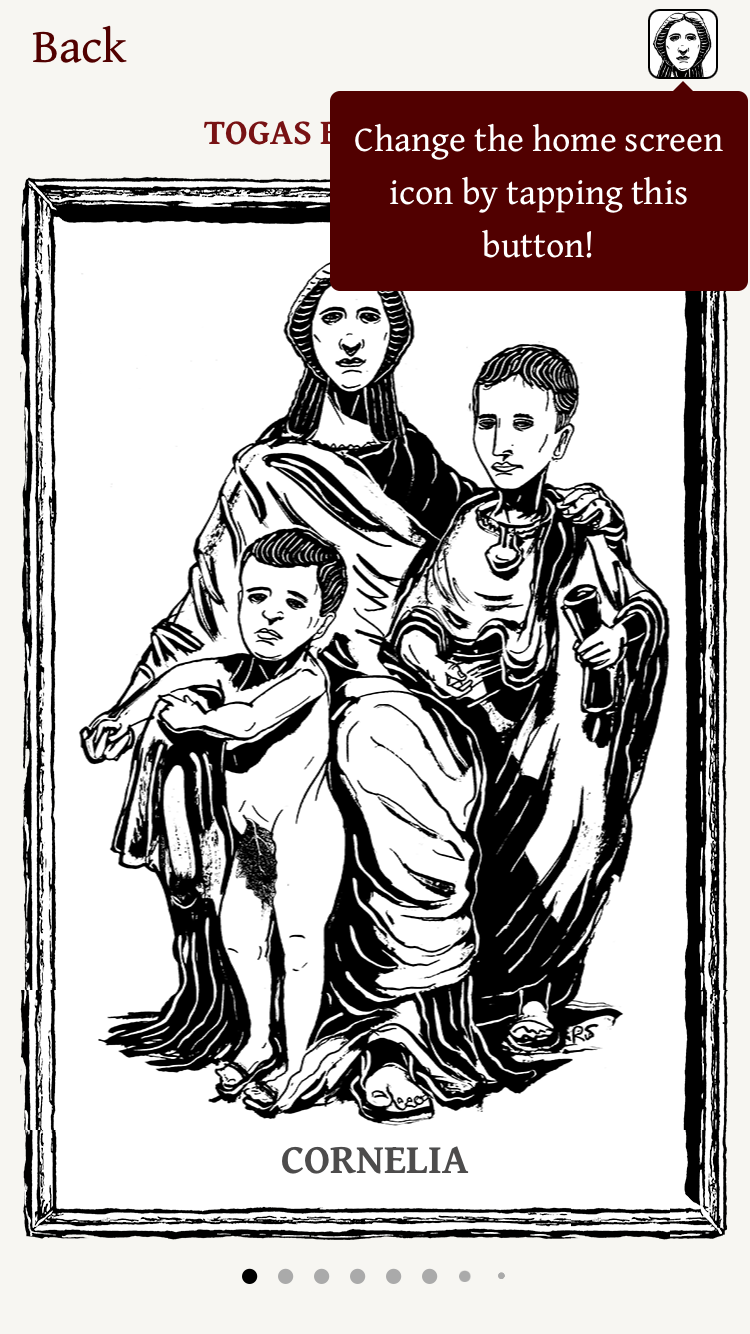
<?xml version="1.0" encoding="utf-8"?><feed xmlns="http://www.w3.org/2005/Atom" ><generator uri="https://jekyllrb.com/" version="4.3.3">Jekyll</generator><link href="https://www.ludicroussoftware.com/feed.xml" rel="self" type="application/atom+xml" /><link href="https://www.ludicroussoftware.com/" rel="alternate" type="text/html" /><updated>2025-03-03T20:01:27-06:00</updated><id>https://www.ludicroussoftware.com/feed.xml</id><title type="html">Ludicrous Software</title><subtitle>Ludicrous Software is an independent, full-service mobile software development company based in Winnipeg, Manitoba. Founded in 2005, Ludicrous Software creates content for iOS, Android, and other platforms.</subtitle><author><name>Darren Osadchuk</name></author><entry><title type="html">Custom Vice Verba App Icons</title><link href="https://www.ludicroussoftware.com/2023/04/08/vice-verba-app-icons.html" rel="alternate" type="text/html" title="Custom Vice Verba App Icons" /><published>2023-04-08T00:00:00-05:00</published><updated>2023-04-08T00:00:00-05:00</updated><id>https://www.ludicroussoftware.com/2023/04/08/vice-verba-app-icons</id><content type="html" xml:base="https://www.ludicroussoftware.com/2023/04/08/vice-verba-app-icons.html"><![CDATA[<p>A fun little feature that I added recently to the iOS version of Vice Verba is the ability to set the home screen app icon to one of the imagines that you’ve unlocked. Here’s now the new UI looks at the end of a round when you’ve unlocked an imago, and also in the imagines view where you can see all your unlocked imagines:</p>

<div class="screenshots">
<img src="/images/posts/vv-app-icon-game-over.png" style="width: 300px;" />
<img src="/images/posts/vv-app-icon-imagines-view.png" style="width: 300px;" />
</div>

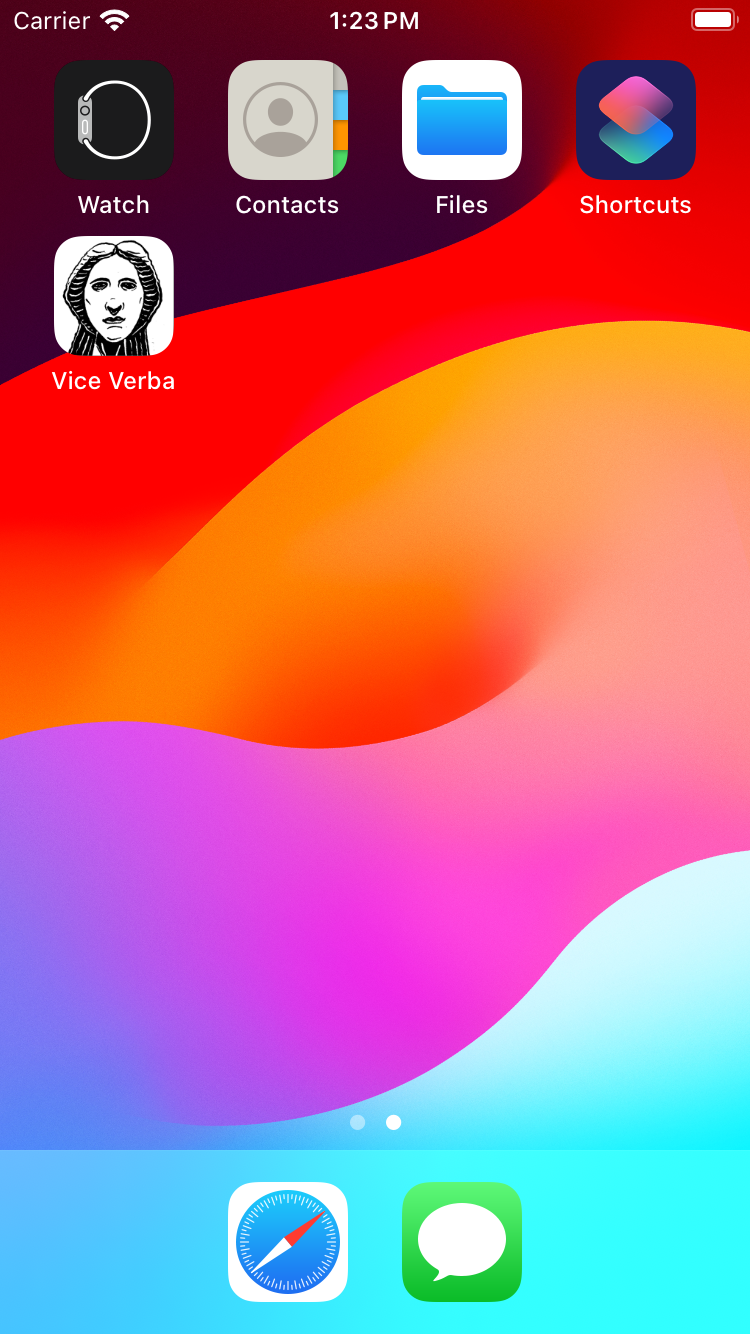
<p>And if you go ahead and tap the button, here’s what Cornelia looks like on your home screen (well, on the iOS Simulator home screen, but still):</p>

<div class="screenshots">
<img src="/images/posts/vv-app-icon-home-screen.png" style="width: 300px;" />
</div>

<p>After the icon is changed, the button image in the game over and imago views changes to show the default Vice Verba application icon; tapping the button again will reset the application icon to its default.</p>

<p>This wasn’t a hugely consequential feature to add in, but it also wasn’t hugely complicated, and it was a fun opportunity to dig into some iOS APIs that I hadn’t used before. It was also a chance to start incorporating Swift into Vice Verba’s Objective-C code base, but that’s for a later post or two.</p>]]></content><author><name>Darren Osadchuk</name></author><summary type="html"><![CDATA[A fun little feature that I added recently to the iOS version of Vice Verba is the ability to set the home screen app icon to one of the imagines that you’ve unlocked. Here’s now the new UI looks at the end of a round when you’ve unlocked an imago, and also in the imagines view where you can see all your unlocked imagines:]]></summary></entry></feed>